
So You Just Upgraded to iOS 27? Here’s What’s New for CarPlay

If your family runs on car time the way ours does (school drop-off, practice pickups, the long haul to grandma’s house), then the software living on your dashboard matters just as much as the horsepower under the hood. iOS 27 is here, and Apple’s big fall update puts a surprising amount of attention right where families spend their busiest hours: inside the car. So if you just upgraded, here’s what’s new for CarPlay, and what it actually means for your daily drive.
iOS 27 Is Here: Which iPhones Can Run It
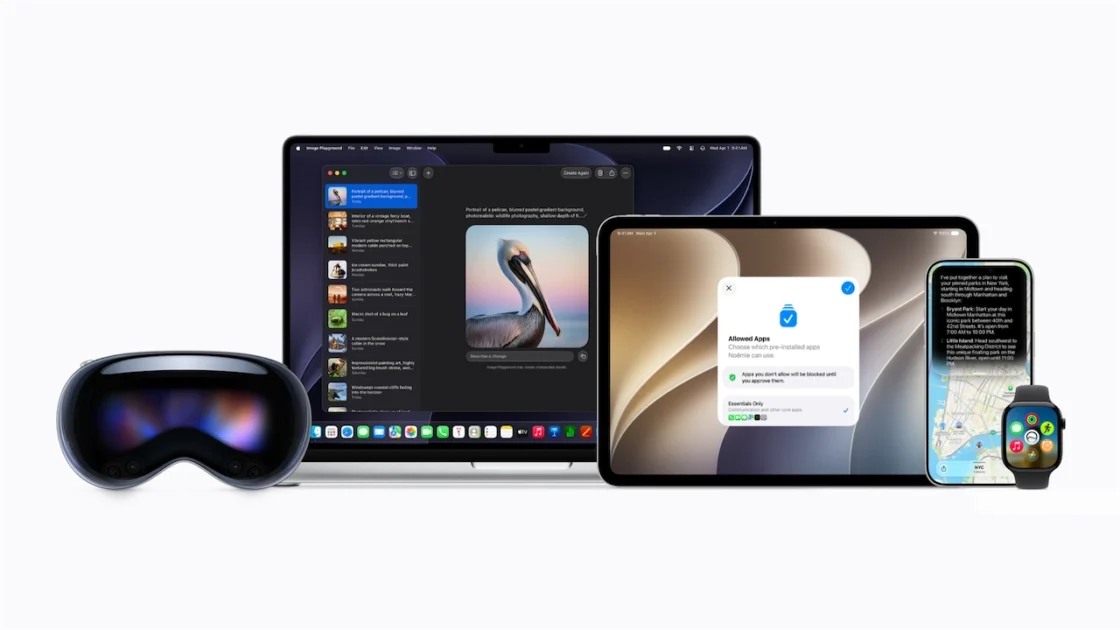
Apple made it official at its September event: iOS 27 rolled out to everyone on Monday, September 14, and it’s a free update you can grab right now. The good news for households with a mix of hand-me-down phones: iOS 27 runs on every iPhone that could run iOS 26, going all the way back to the iPhone 11. A few of the smartest features, like the new AI-powered Siri, need an iPhone 15 Pro or later, but the core update reaches nearly every phone in the family group chat.
Why CarPlay Is the Headline for Families This Year
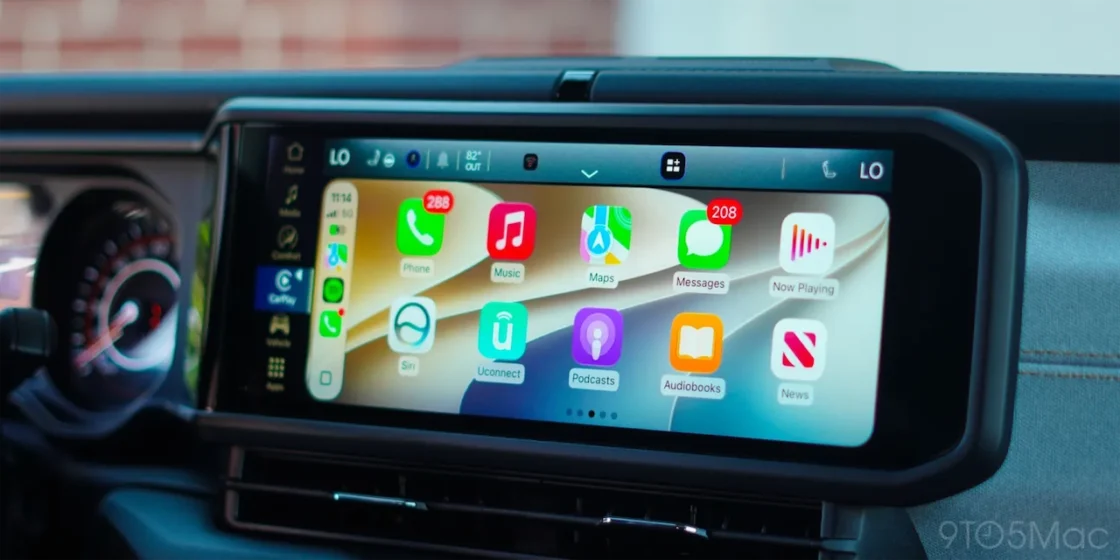
CarPlay usually gets a handful of quiet tweaks each fall. Not this time. Apple packed several meaningful CarPlay upgrades into iOS 27, covering entertainment, navigation, music, and reliability. If you’ve ever fought a dropped wireless connection in the carpool lane or lost your map behind a giant music screen, some of these changes are aimed squarely at you. Apple also says wireless CarPlay is more dependable in iOS 27, with better GPS accuracy and improved heading detection, which are the unglamorous fixes that make the everyday drive smoother.
Video Comes to the Dashboard (Parked Only)
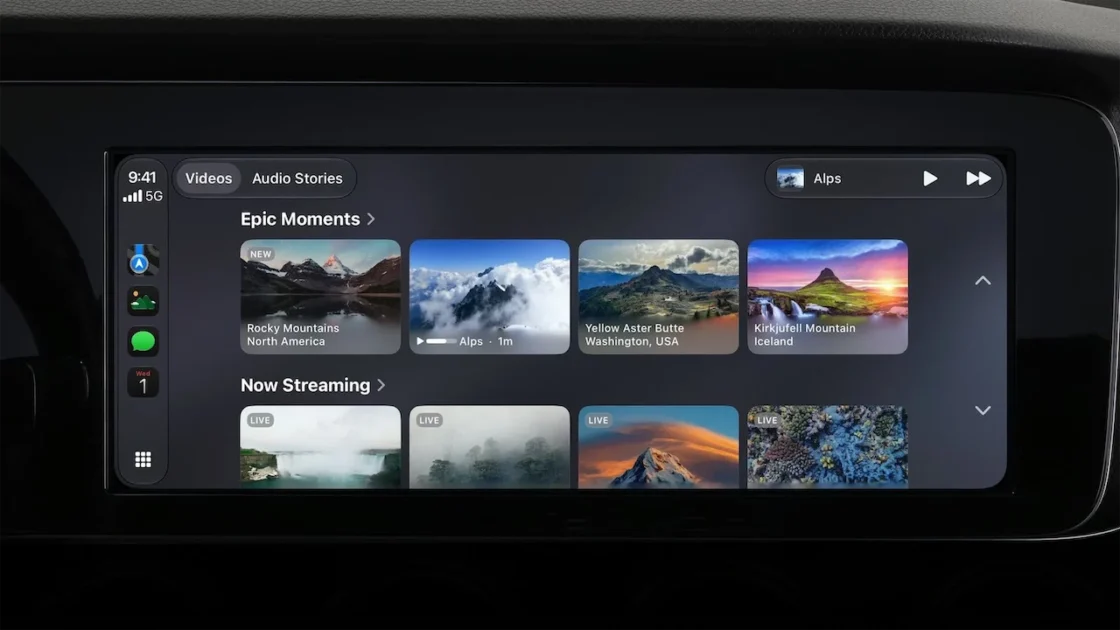
Here’s the change that will get the most attention: CarPlay apps can now offer video, so you can browse and watch on the car’s screen while parked. Think about waiting in the pickup line, killing time at the airport, or sitting at an EV charger while the family stretches their legs. Apple built in a clear safety guardrail: video only plays when the car is in park, and the moment you shift into drive, it switches to audio only.
Two honest caveats are worth keeping in mind. First, the automaker has to switch this feature on, and no car company has announced support yet. Second, the Apple TV app is the first confirmed app to use it. So it’s a promising foundation more than a today feature, but it points at a genuinely family-friendly future for the back-seat crowd.
A Smarter Siri, Better Music Controls, and a Fresh Look

The new Siri AI works in the car for real hands-free conversations, and anything you ask while driving syncs back to the Siri app on your iPhone so you can pick it up later. For a parent juggling a to-do list at a red light, keeping both hands on the wheel while Siri does the typing is a real win.
Music got some love too. CarPlay in iOS 27 adds a persistent mini-player that keeps the artwork and play, pause, and skip controls tucked in the corner, so you can change the song without burying your map. Apple also finally added a progress bar you can drag, which means scrubbing through a podcast or audiobook is possible in CarPlay for the first time. Anyone who has ever rewound a kids’ audiobook 15 seconds at a time will appreciate that one. Rounding it out, CarPlay picks up the new iOS 27 look, including fresh wave-style wallpapers (14 in all) and the updated Liquid Glass app icons.
Navigation That Plans Around Your EV and Your Route
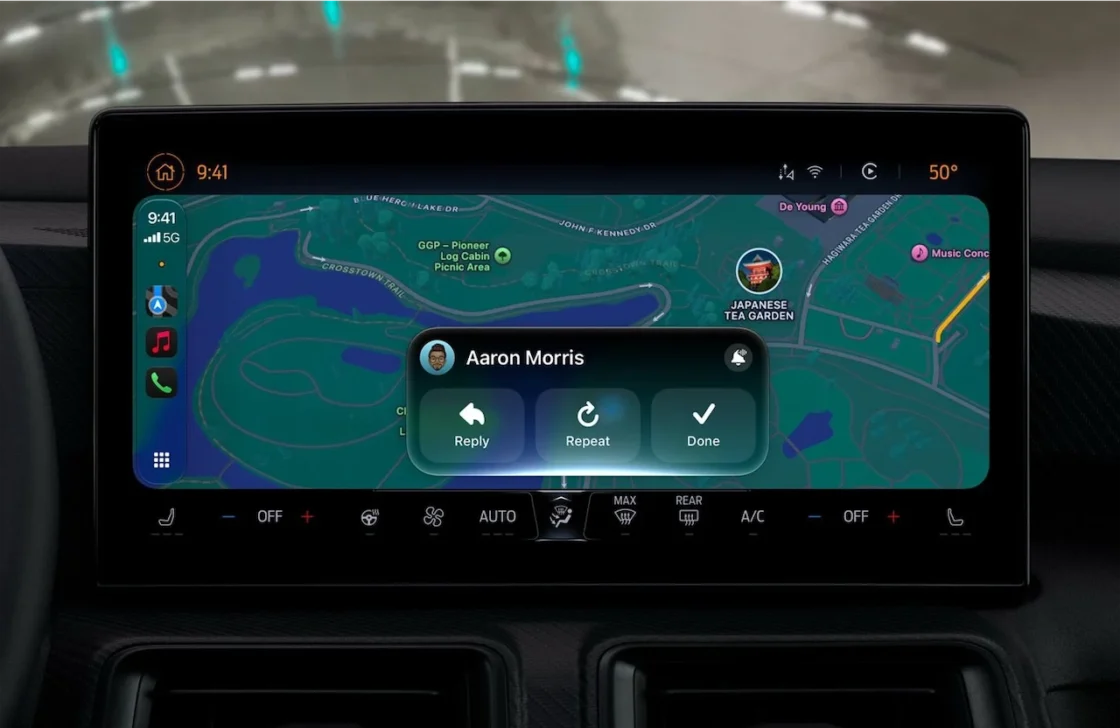
If your family drives electric, this section is for you. In iOS 27, navigation apps like Apple Maps and Google Maps can share route data with the vehicle, so the car can check your planned route against its range and suggest a charging stop. No more mental math about whether you’ll make it to the next town on a road trip. Apple also extended natural-language search to navigation, and it works in CarPlay, so you can simply ask Siri for a route that avoids toll roads or highways and let it sort out the details.
Beyond the Dashboard: New Parental Controls Worth a Look
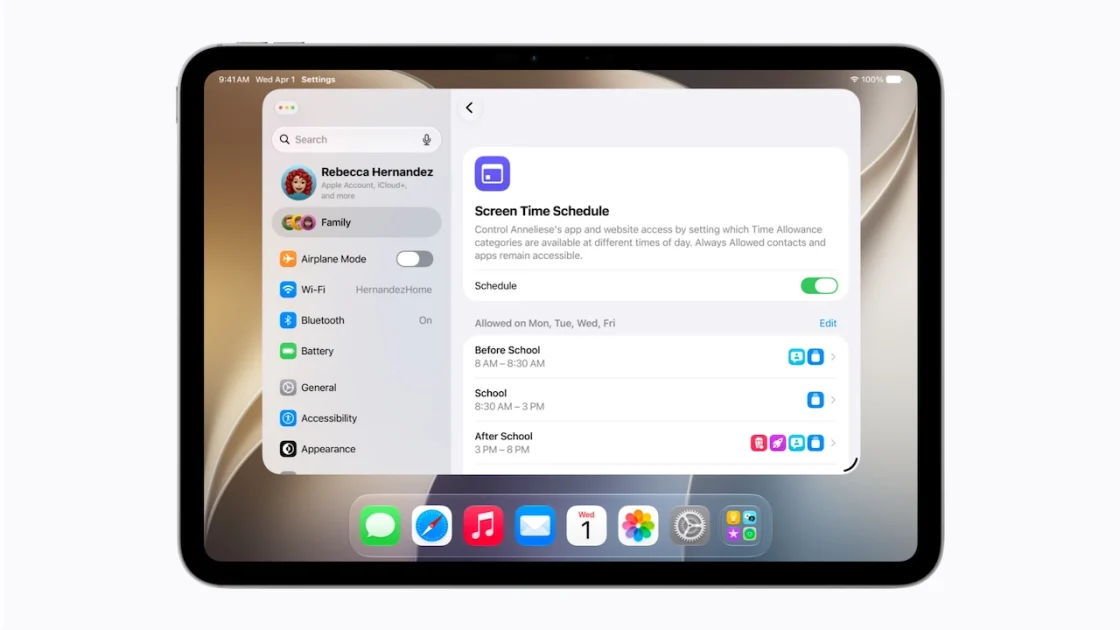
CarPlay is the star, but iOS 27 also delivers one of Apple’s biggest parental-control expansions in years, and this is the part we’d circle for every parent reading. According to Apple’s own preview, the update brings a simpler setup for a child’s phone (you pick the exact apps they can open). A new Ask to Browse option lets you approve each new website in Safari. Time Allowances cap time by category like Games or Social Media, and a redesigned Screen Time shows what your kids actually use at a glance.
There’s also a meaningful safety upgrade. Communication Safety, which already blurs nudity in Messages and FaceTime for users under 18, now steps in on gore and violent content too, and it’s on by default for kids. Parents can also require approval before a child adds a new contact. These arrive after you install the Screen Time update on iOS 27.
The GT Take

iOS 27 is one of the more family-relevant Apple updates in a while. The CarPlay changes make the everyday drive calmer and safer, the EV and navigation smarts take the guesswork out of longer trips, and the new parental controls give parents real tools without a computer-science degree. The video feature is the wild card: exciting on paper, but it’s waiting on the automakers to flip the switch, so we’ll be watching to see who signs on first. The update is free and available now, so there’s no reason not to grab it.
We test CarPlay in nearly every vehicle we review, so if you want to see how it actually behaves on the road, subscribe to GT: Garage Talk® on YouTube and follow @GTGarageTalk.